Theme Editor
Managing a CoreTheme
An existing CoreTheme can easily be renamed in the ThemeEditor via the ContentHeader.
If there is a need to save a current theme as a checkpoint, for instance, to create a backup copy, a copy of the current CoreTheme can be saved under a new name using the "save as" option.
Managing a SubTheme
Using the ContentHeader, a new SubTheme can be created. This can be based on an already existing SubTheme, however if no base is selected, it will always be initialized with default values. The only requirement is a unique name, as it serves as the identifier.
In addition to editing its internal values, the name itself can be changed and determined. The same premise applies here as with the creation of a SubTheme, which is the uniqueness of the name.
To remove erroneous SubThemes or delete obsolete data, a delete functionality is also provided.
ContentHeader
A central component of the ThemeEditor is the ContentHeader. It houses numerous essential functionalities and is the core of the editor.

Thus, it enables the control of CRUD operations on Core- and SubThemes, as well as the ability to undo or redo actions.
Paletts
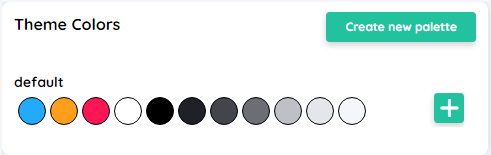
CoreTokens
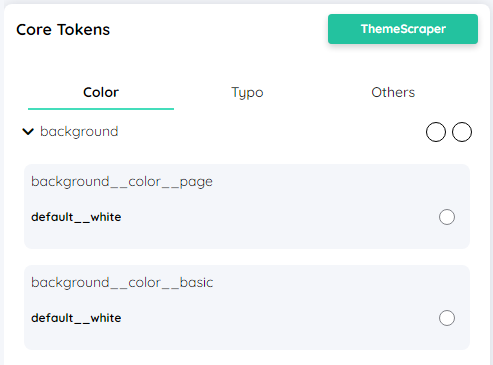
When the CoreTokens are altered, the control elements also change, provided that no specific value has been explicitly set via the ComponentTokens or the specific config.
For better clarity, the core tokens are grouped by types and categorized into the three categories Color, Typo and Others.
Inside these Categories, one can find properties like:
Component Overview
To immediately visualize stylistic changes, the Theme Editor includes an overview of all components and their appearances. The view can be filtered directly, allowing for individual adjustments.
- Filter by components
The view can be pre-filtered to specific component types, creating a better overview. - Filter by state
In addition to the type of component, the particular state is also filterable. For instance, if only the hover state of components is suupposed to be altered, the view can be filtered accordingly. - Filter by search text
In addition to filtering by component type, this can also be done through the search function, with both filtering methods not being mutually exclusive.
ComponentTokens
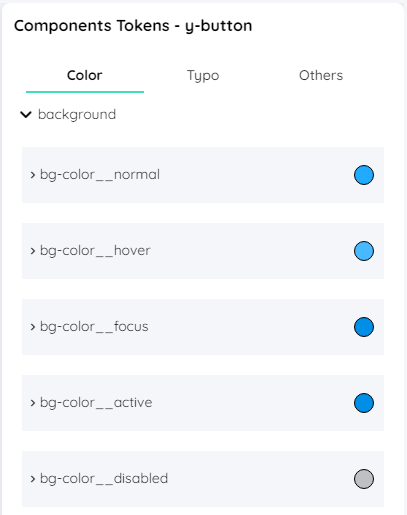
When the value of a token is changed, it affects all components of the same type, provided the value has not been explicitly overridden in the configuration.
When changing the appearance of a certain component type, you can select between choosing a CoreToken, a CustomToken and an individual value.
Similar to the CoreTokens, the ComponentTokens are also categorized into Color, Typo and Other for the same reason.